Digital Printing & Finishing

Digital Printing & Finishing Solutions

Produce short-run, variable, personalized, label, corrugated, envelope, packaging, and commercial print applications with digital printing solutions built around the finished product, production volume, media, workflow, and finishing requirements.

ATP Equipment Solutions helps commercial printers, in-plant operations, mail producers, label converters, packaging companies, and other production environments evaluate digital printing and finishing technologies around real application requirements.

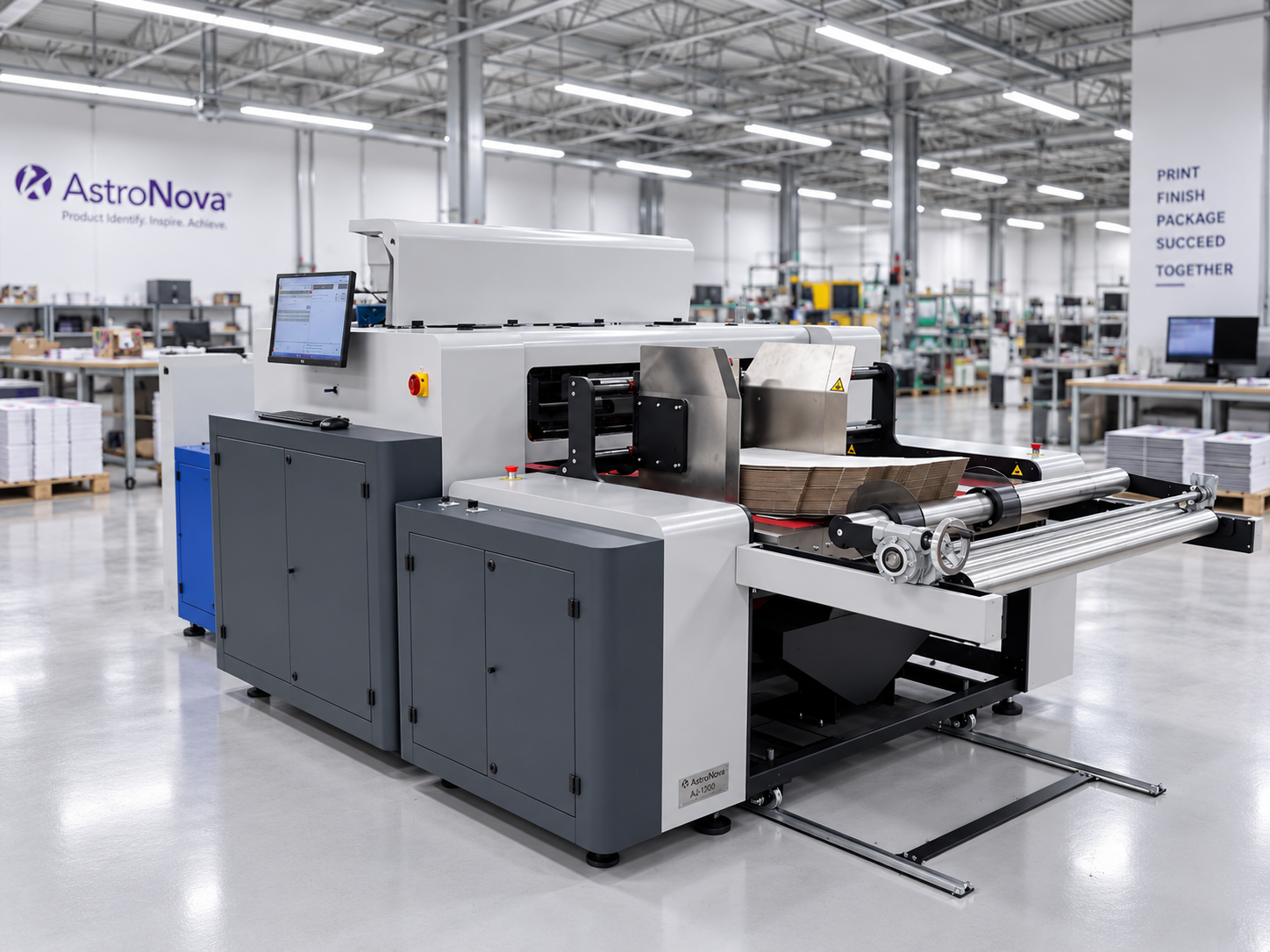
AstroNova AJ-1300 digital label and narrow-web printing system in a production facility

What Are Digital Printing Solutions?

Digital printing transfers artwork and production data directly from a digital file to the selected print media without requiring traditional printing plates. In a production environment, the workflow may also include variable data, color management, media handling, inspection, cutting, slitting, rewinding, laminating, perforating, and output collection.

Digital printing and finishing solutions should be configured around the finished application. The appropriate system depends on what is being printed, the material, finished size, production volume, run length, data requirements, color expectations, required finishing steps, and surrounding workflow.

From Digital File to Finished Output

A successful digital print workflow considers more than the press. Artwork, production data, media handling, printing, finishing, inspection, and downstream output must work together around the finished product.

  1. 01

    Prepare Artwork & Data

    Prepare static artwork, variable fields, barcodes, sequential numbers, personalized images, and job-specific production information.

  2. 02

    Select & Feed the Media

    Configure the workflow around sheets, rolls, envelopes, labels, corrugated materials, or other supported substrates.

  3. 03

    Print & Personalize

    Produce static, versioned, or fully variable output using the selected digital printing technology.

  4. 04

    Finish & Convert

    Cut, slit, rewind, laminate, perforate, or otherwise prepare the printed material for its final application.

  5. 05

    Inspect, Collect & Route

    Review output, collect completed pieces, and route the finished product into mailing, packaging, labeling, fulfillment, or another downstream process.

Not every application requires every stage. The right digital printing solution depends on the media, finished product, run length, data requirements, and production environment.

Where Digital Printing Creates Value

Digital production technologies can support applications where job variety, changing content, shorter runs, personalization, and faster transitions are important to the workflow.

01

Support Shorter Production Runs

Produce smaller quantities without the plate-making and setup requirements associated with conventional printing processes. The appropriate break-even point depends on the application, equipment, material, and production requirements.

02

Personalize Every Printed Piece

Use variable data printing to change text, addresses, images, barcodes, sequential numbers, or other information from one printed piece to the next.

03

Manage More Versions and SKUs

Produce regional, customer-specific, language-specific, seasonal, promotional, or product-specific variations without maintaining every version as a separate preprinted inventory item.

04

Respond to Changing Production Needs

Digital workflows can support jobs that require frequent artwork changes, smaller batches, recurring updates, or faster transitions between versions.

05

Expand Printed Applications

Depending on the equipment and ink technology, digital printing may support commercial print, envelopes, labels, corrugated materials, packaging, and other specialized output.

06

Connect Printing and Finishing

Coordinate print production with cutting, slitting, rewinding, laminating, perforating, inspection, and downstream handling.

Digital Printing Applications

Digital printing can support a range of production environments and finished products. Not every press can produce every application, so the printing technology must be matched to the media, format, quality requirements, and intended use.

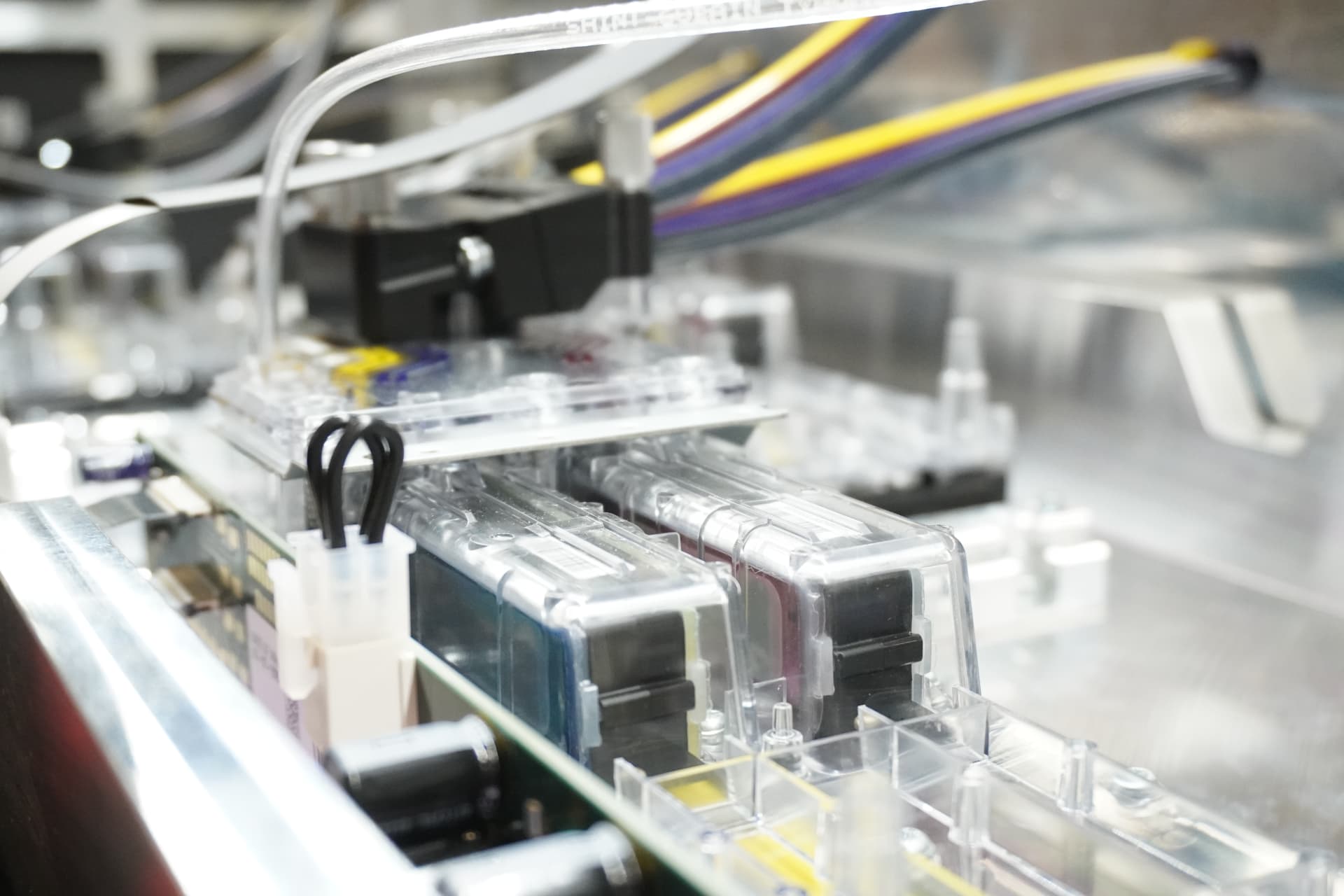
Production color digital printing system with ink cartridges and feed lines in operation

Production Color & Commercial Print

Production digital printing systems can support brochures, booklets, manuals, postcards, promotional materials, transactional documents, and other sheet-fed or roll-fed applications. The appropriate system depends on color expectations, media range, finished format, run length, monthly volume, and downstream finishing requirements.

Production color printing and commercial digital printing environments often combine short-run digital printing with recurring longer jobs, so production printing solutions should be evaluated across the full job mix rather than a single application.

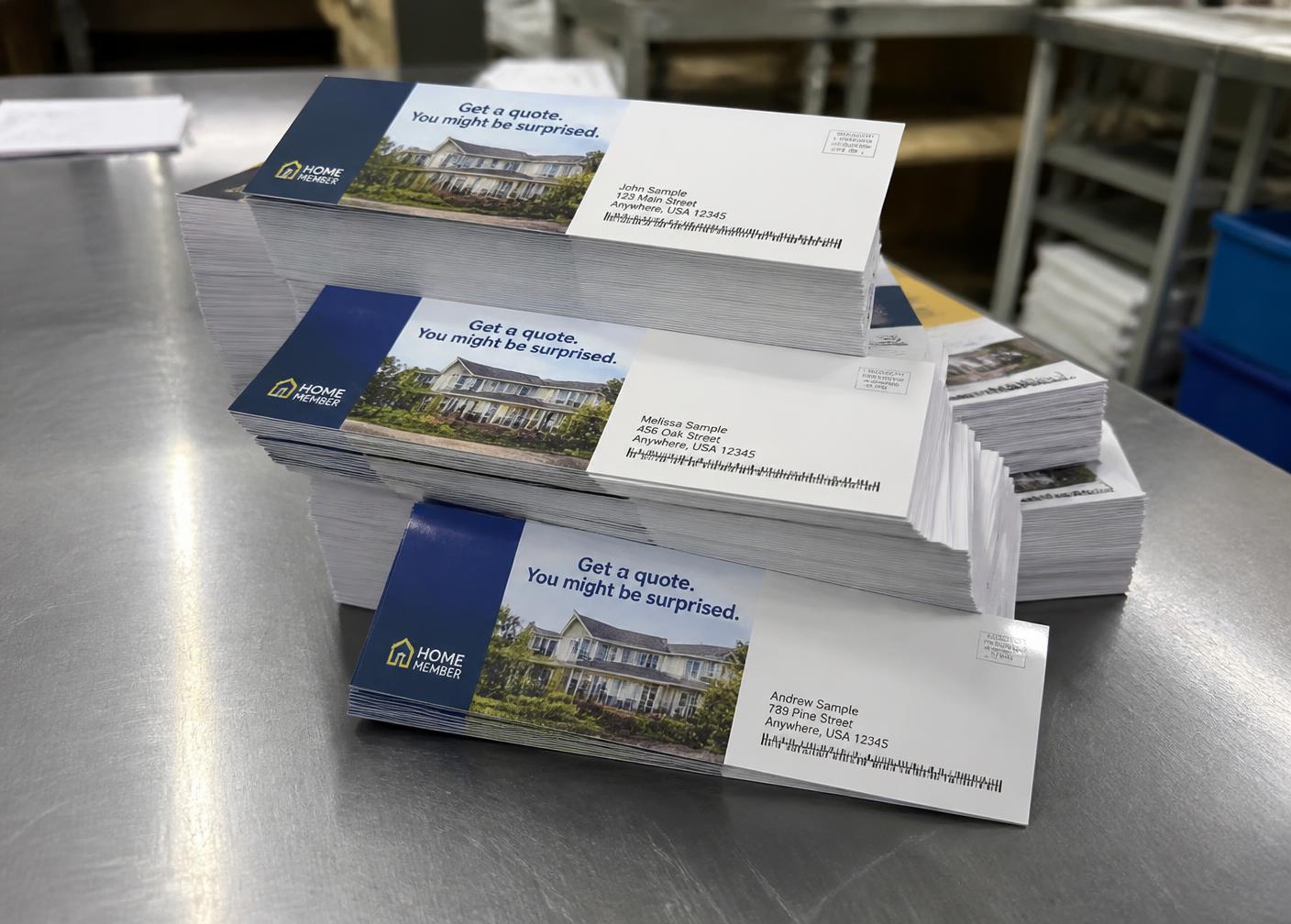
Variable data printing with personalized names and barcodes

Variable Data & Personalized Printing

Variable data printing allows text, images, addresses, barcodes, numbering, and other elements to change throughout a production run. Applications may range from personalized direct mail and transactional communications to versioned marketing materials, product variations, and sequentially numbered output.

Variable image printing, sequential numbering, and barcode printing support personalized communications and versioned printing across many production environments. Once those pieces are printed, feeding, folding, inserting, tabbing, sorting, and mailpiece verification are addressed separately.

Explore Addressing & Mail Production Solutions
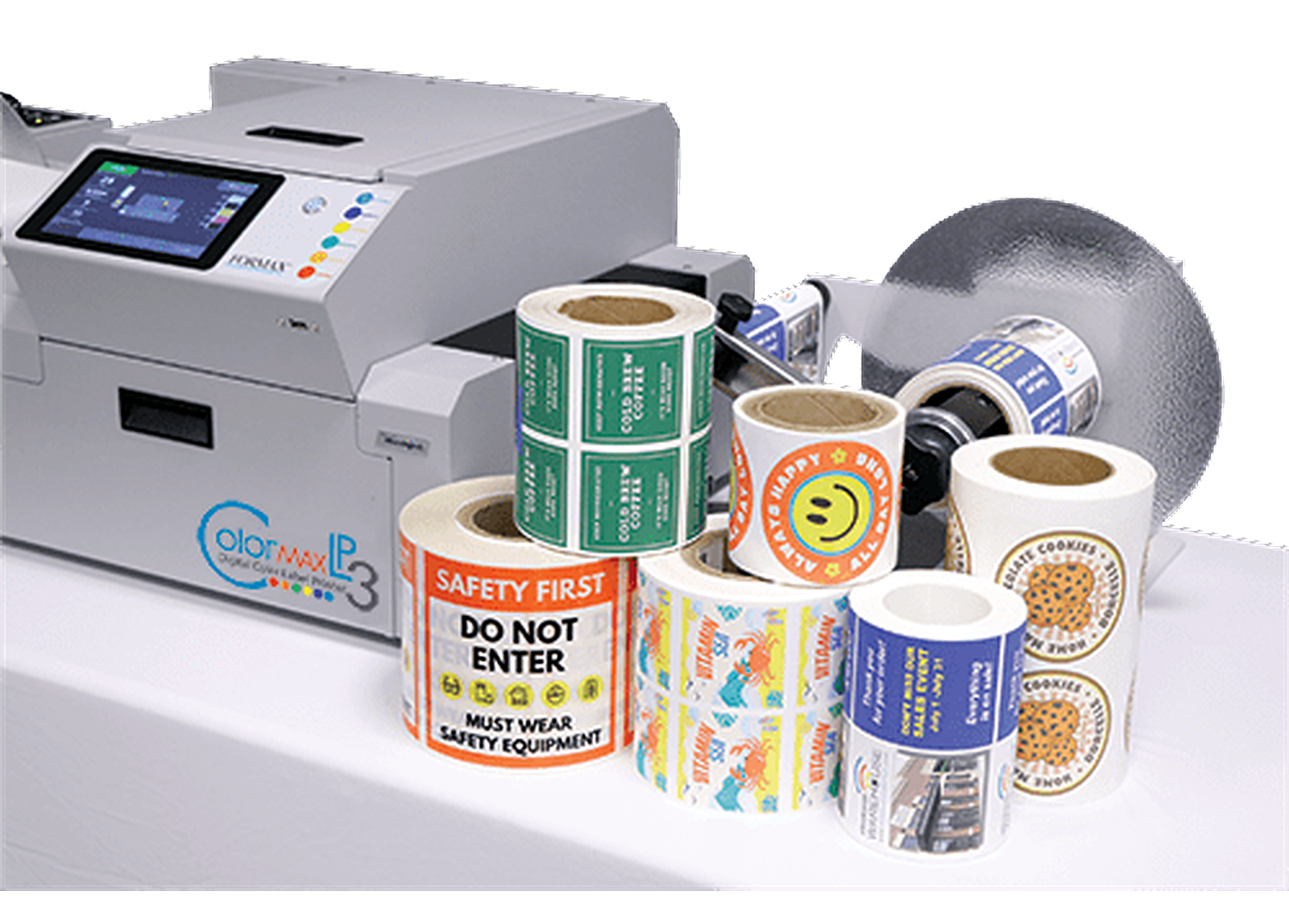
Formax Colormax LP3 digital color label printer with printed label rolls

Digital Label Printing

Digital label printing can support short runs, frequent design changes, variable data, barcodes, product variations, and multiple SKUs. The correct system depends on the label material, roll or sheet format, print width, color requirements, durability needs, finishing process, and production volume.

Label printing systems used for short-run label printing, barcode labels, variable data labels, and general label production are selected around the material and the converting steps that follow.

Digital label printing creates the printed label. Applying that label to a product, case, or pallet is addressed under Labeling & Print-and-Apply Solutions.

Explore Labeling & Print-and-Apply Solutions
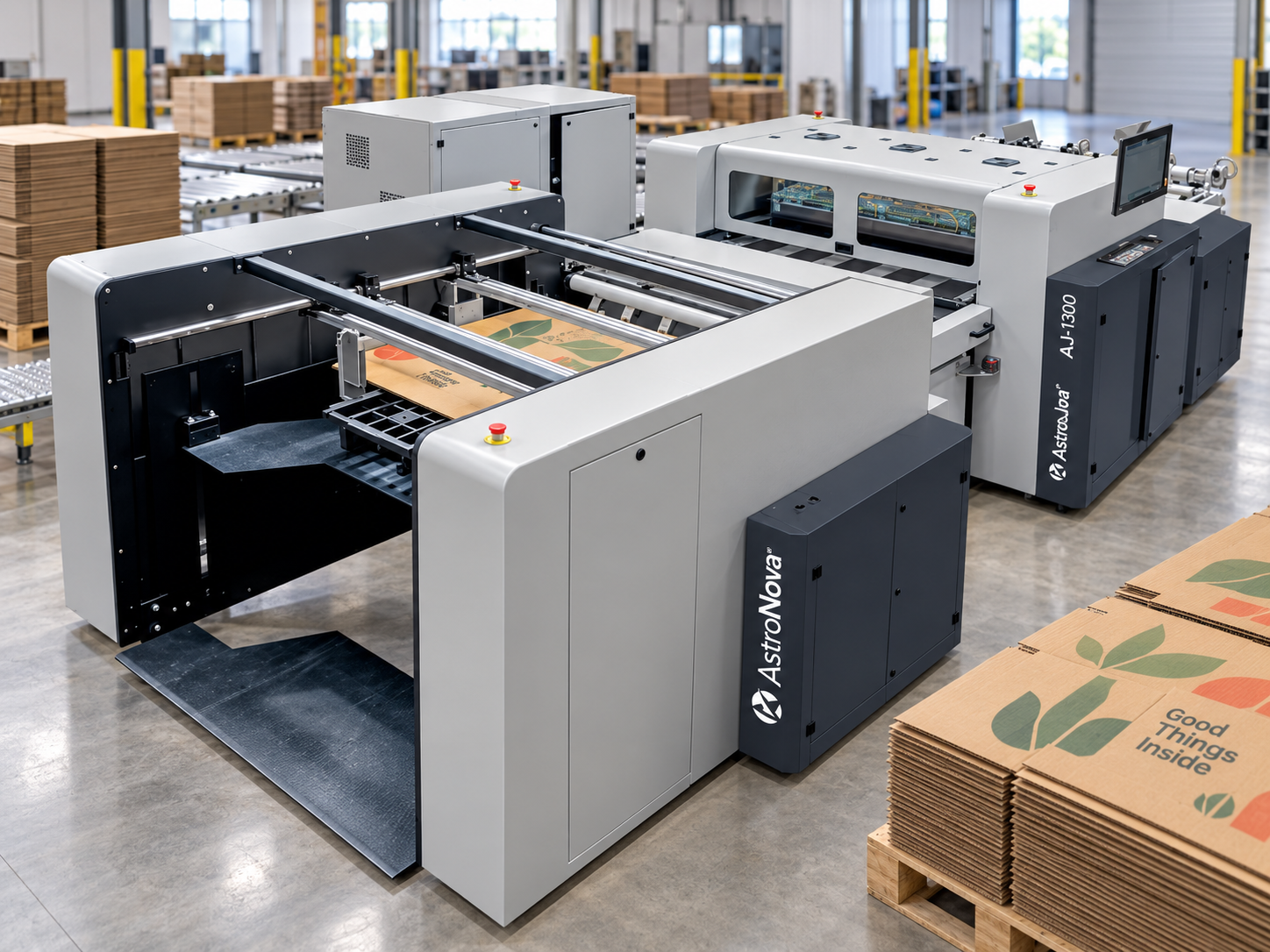
AstroNova AJ-1300 direct-to-corrugated digital printer producing printed corrugated sheets in a production facility

Corrugated & Packaging Printing

Digital corrugated and packaging printing can support branded boxes, prototypes, short-run packaging, versioned graphics, localized designs, and changing product requirements. Equipment must be evaluated around board type, material dimensions, print area, ink coverage, throughput, image quality, and downstream converting.

A direct-to-corrugated printer used for digital packaging printing and digital box printing is typically matched to the board construction and the versioned packaging requirements of the operation.

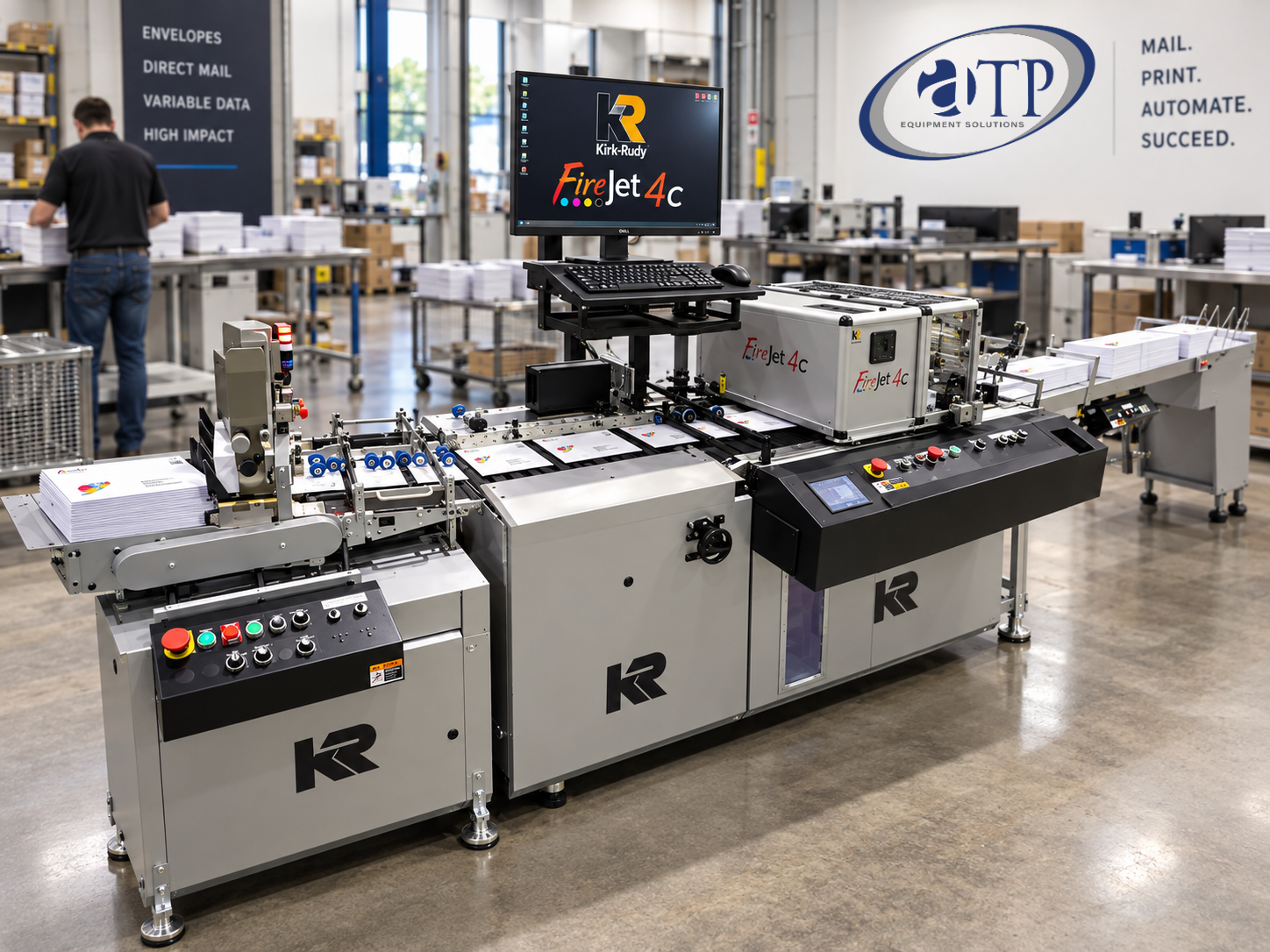
Kirk-Rudy FireJet 4c full-color envelope printing system in the ATP Equipment Solutions facility

Envelope & Mailpiece Printing

Digital systems can print full-color graphics, personalized messages, addresses, barcodes, and other information directly onto envelopes, postcards, self-mailers, and related mailpiece formats. Equipment selection depends on piece dimensions, material construction, print area, data variability, required quality, and production speed.

Digital envelope printing and full-color envelope printing systems support variable addressing and personalized direct mail printing. Mailpiece printing is only part of the process — the Addressing & Mail Production page covers the broader mail workflow, including feeding, inserting, tabbing, stamp affixing, sorting, and verification.

Explore Addressing & Mail Production Solutions

Turn Printed Output Into a Finished Product

Printing is often only one stage of the production process. Finishing and converting equipment prepares printed sheets or rolls for the final application by changing the size, format, surface, or functional characteristics of the material.

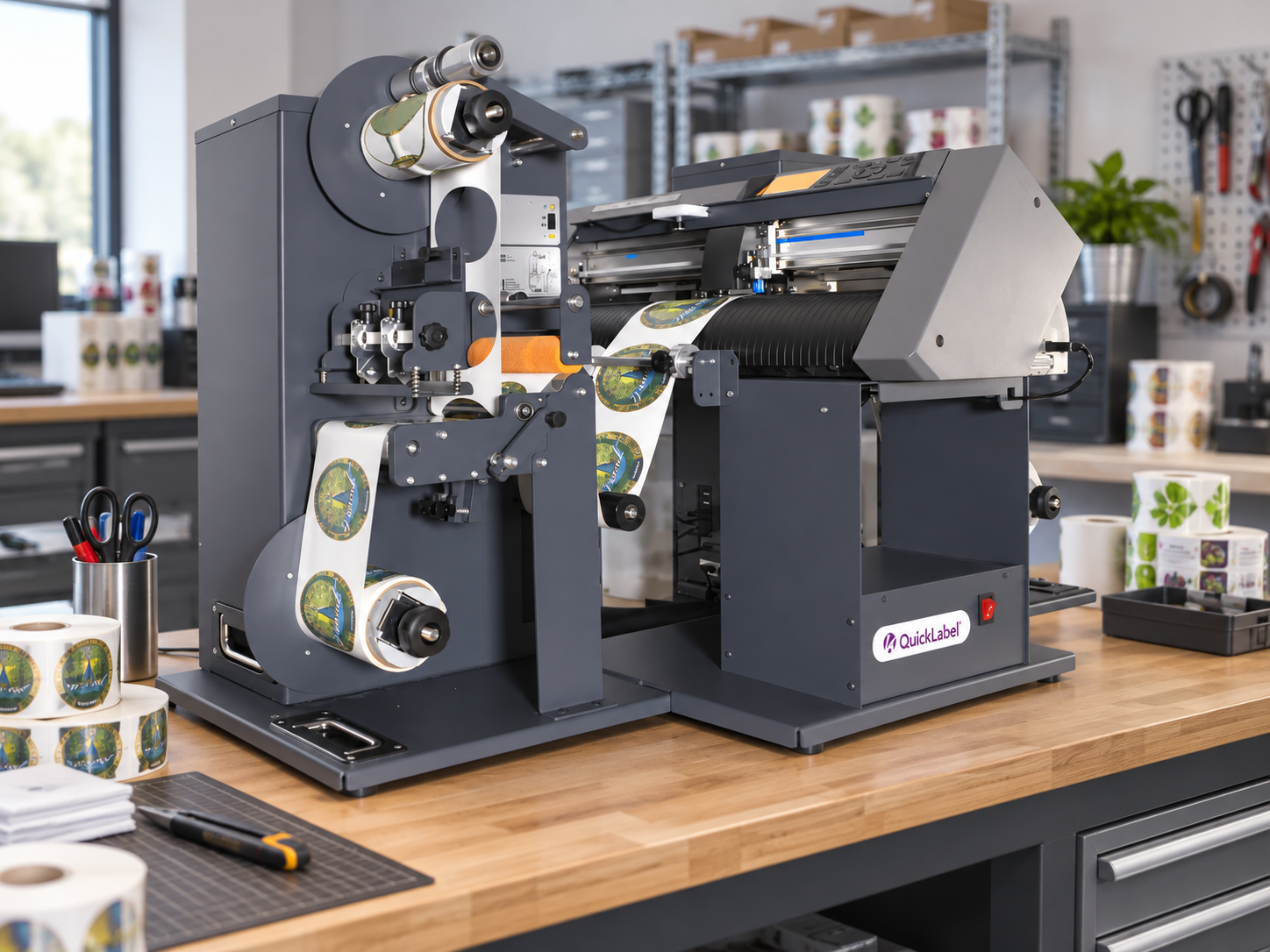
QuickLabel digital color label printer printing custom label rolls on a workbench

Cutting Systems

Cutting and sheeting equipment can trim, separate, or convert printed materials into the dimensions required for the finished product.

Slitting & Rewinding Systems

Slitter rewinders divide wider printed rolls into narrower finished widths and rewind the material into production-ready rolls.

Laminating Systems

Laminating equipment can apply protective, decorative, or functional films to printed output, depending on the material and final application.

Perforating Systems

Perforating equipment creates controlled tear lines, separations, or functional openings in printed sheets or rolls.

Inline, Near-Line, or Offline Finishing?

Inline Finishing

The finishing process is connected directly to the printing system, allowing output to move from printing into finishing as part of one coordinated production path.

Potential Considerations

  • Connected production flow
  • Fewer separate handling steps
  • Printer and finishing speeds must work together
  • A downstream interruption may affect the complete line

Near-Line Finishing

Finishing equipment operates as a separate system positioned near the printer, allowing printed output to move quickly between production stages without being mechanically connected.

Potential Considerations

  • More flexibility between devices
  • Equipment may support output from multiple printers
  • Requires material transfer between stages
  • Production scheduling must remain coordinated

Offline Finishing

Printed materials are moved to a separate finishing area or production process after printing is complete.

Potential Considerations

  • Independent equipment operation
  • Finishing may serve multiple print systems
  • Additional staging and material handling
  • More flexibility for varied job requirements

The right configuration depends on run length, job mix, production speed, floor space, changeover requirements, equipment compatibility, and how interruptions in one process affect the rest of production.

Explore Digital Printing & Finishing Equipment

Digital printing and finishing solutions are built from equipment selected around the media, finished product, production volume, data requirements, and workflow. Browse the related equipment category to explore available machine types and technologies.

  • Production Color Printers
  • Production Inkjet Presses
  • Digital Label Printers
  • Corrugated Printers
  • Envelope Printing Systems
  • Cutting Systems
  • Slitting & Rewinding Systems
  • Laminating Systems
  • Perforating Systems
Browse All Digital Printing & Finishing Equipment

How to Evaluate a Digital Printing and Finishing Workflow

The right digital printing solution is determined by the finished application, not simply by the maximum print speed or advertised resolution. The printer, media, data workflow, finishing equipment, and downstream process must be evaluated together.

01

Finished Application

Define what the operation must produce, such as envelopes, labels, corrugated boxes, brochures, manuals, personalized documents, or another printed product.

02

Media and Substrate

Document the materials the system must handle, including sheet or roll format, surface characteristics, thickness, coating, construction, and environmental requirements.

03

Finished Size and Print Area

Confirm the input dimensions, finished dimensions, printable area, margins, bleed requirements, and any physical limitations of the product.

04

Run Length and Job Mix

Evaluate average run length, peak volume, recurring jobs, number of versions, SKU count, and how often the operation changes between applications.

05

Color and Image Requirements

Identify color expectations, brand-color requirements, image detail, coverage, consistency needs, and any inspection or quality-control requirements.

06

Variable Data Requirements

Determine whether jobs require changing names, addresses, images, barcodes, serial numbers, graphics, languages, offers, or other data-driven content.

07

Production Speed and Throughput

Evaluate the complete workflow rather than the printer alone. Feeding, printing, drying or curing, finishing, inspection, and output handling can all affect production capacity.

08

Finishing Requirements

Define whether the output must be cut, slit, rewound, laminated, perforated, folded, bound, or prepared for another process.

09

Workflow and Data Preparation

Review artwork preparation, variable-data files, job submission, RIP or controller requirements, barcode generation, file management, and operator responsibilities.

10

Floor Space, Utilities, and Staffing

Account for equipment footprint, material staging, operator access, ventilation or utility requirements, finished-output collection, and staff experience.

Discuss Your Digital Printing Application

Applications for Digital Printing & Finishing

Production digital printing can support a wide range of personalized, short-run, versioned, label, packaging, mailing, and commercial print applications. The appropriate system depends on the application and the media.

Personalized Direct Mail

Postcards, envelopes, self-mailers, letters, and other pieces with changing names, addresses, images, offers, or barcodes.

Short-Run Commercial Print

Brochures, booklets, manuals, flyers, promotional materials, and other jobs produced in smaller or frequently changing quantities.

Labels and Product Variations

Short-run labels, barcode labels, seasonal designs, regional versions, multiple SKUs, and variable product information.

Corrugated and Packaging Graphics

Branded boxes, versioned packaging, prototypes, localized designs, and short-run corrugated applications.

Transactional and Data-Driven Documents

Statements, notices, confirmations, reports, and other documents containing recipient-specific information.

On-Demand and Versioned Production

Printed materials produced in response to changing demand, artwork revisions, campaigns, product launches, or inventory requirements.

Related Production Solutions

Addressing & Mail Production

Connect printed envelopes, postcards, documents, and personalized pieces with feeding, folding, inserting, tabbing, sorting, and verification processes.

Explore Addressing & Mail Production

Labeling & Print-and-Apply

Explore systems that apply printed labels to products, packages, cases, and pallets after the labels have been produced.

Explore Labeling & Print-and-Apply

Integrated Systems

Connect printing, finishing, inspection, material handling, controls, and downstream production equipment into one coordinated workflow.

Explore Integrated Systems

Service & Support

Find technical support, maintenance, repairs, upgrades, and assistance improving the performance of existing printing and finishing equipment.

Explore Service & Support

Digital Printing & Finishing FAQs

What is digital printing?

Digital printing transfers an electronic image or document directly to the selected media without requiring traditional printing plates. Production systems may use different ink, toner, feeding, curing, and media-handling technologies depending on the application.

What is the difference between digital and conventional printing?

Digital printing generally eliminates traditional plate-making and can support variable content, shorter runs, and frequent job changes. Conventional methods may remain appropriate for other applications or longer production runs, so the correct process depends on quantity, media, quality requirements, finishing, turnaround, and total workflow.

What is variable data printing?

Variable data printing changes text, images, addresses, barcodes, numbers, or other content from one printed piece to the next using production data connected to the print file. It can support personalized communications, sequential numbering, versioned materials, and product-specific output.

Can one digital printer produce envelopes, labels, corrugated boxes, and commercial print?

Not necessarily. Different applications may require different feeding systems, ink technologies, print widths, media paths, curing methods, and finishing equipment. ATP evaluates the finished product and workflow before recommending a technology.

What is digital print finishing?

Digital print finishing includes the processes used after or alongside printing to create the final product. Depending on the application, this may include cutting, slitting, rewinding, laminating, perforating, inspection, or output handling.

What is the difference between inline and offline finishing?

Inline finishing is connected directly to the printer, while offline finishing operates as a separate production process. Near-line finishing also operates separately but is positioned and scheduled closely with the printer. The right approach depends on workflow, speed, job variety, space, and equipment compatibility.

Can finishing equipment be added to an existing digital printer?

In many applications, separate finishing equipment can support output from an existing printer. Compatibility depends on material format, width, finished size, production speed, workflow, available space, and how printed output is transferred between processes.

Can digital printing support personalized labels and packaging?

Depending on the printing system, digital production may support changing barcodes, serial numbers, graphics, product information, languages, or designs across labels and packaging. The appropriate equipment depends on the material, format, durability requirements, print width, and production volume.

How do digital label printing and print-and-apply labeling differ?

Digital label printing creates the printed label material. A print-and-apply or label-application system places a label onto a product, package, case, or pallet. These processes may be separate or connected within a broader production workflow.

What information is needed to recommend a digital printing solution?

Helpful information includes the finished product, media type, dimensions, print area, run length, monthly volume, number of versions, variable-data requirements, color expectations, finishing needs, current workflow, available space, and examples of the jobs being produced.
Build the Right Digital Print Workflow

Tell ATP Equipment Solutions what you need to print, the materials you use, how jobs change, which finishing steps are required, and where the finished output goes next. Our team can help identify the digital printing and finishing approach that fits the application.